
Currently the only way to circumvent this is to make a serial connection and follow these instructions very carefully. This process will allow you to run tweaks from USB. A serial connection will need to be made before updating or FW reinstall to regain root access.
XX/00-start-wifiAP/wifiAP.config file. Otherwise, delete the 00-start-wifiAP folder. If you are trying to remove Wifi AP after you have installed it, copy contents of Wifi Uninstall Script to flash drive and connect to CMU.Do not modify any of the below commands If the commands do not work, then you have done something wrong (i.e. you’re not logged in, or RX/TX wires are not properly wired)
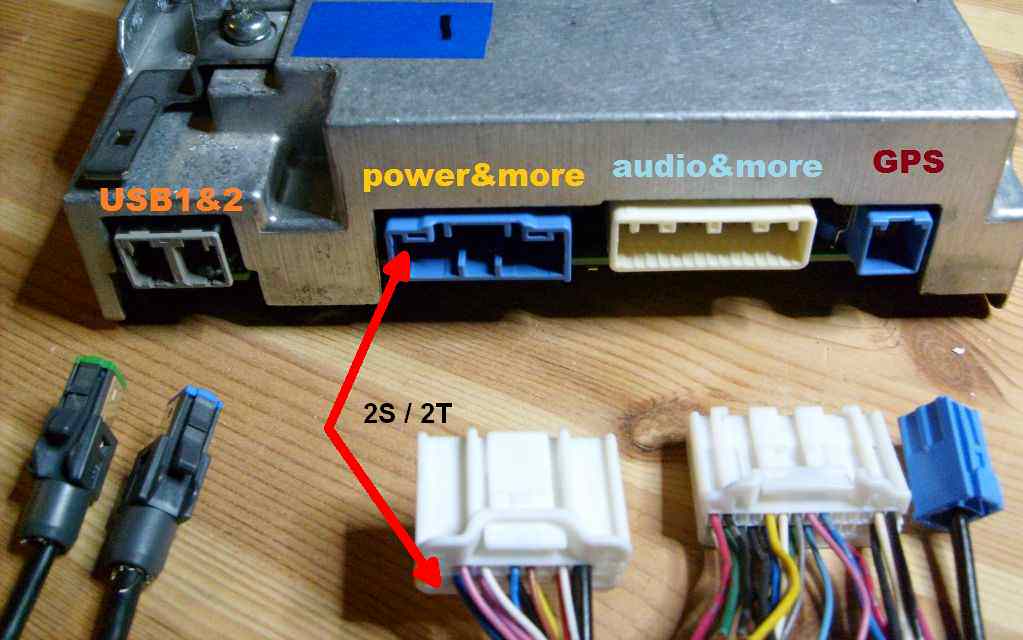
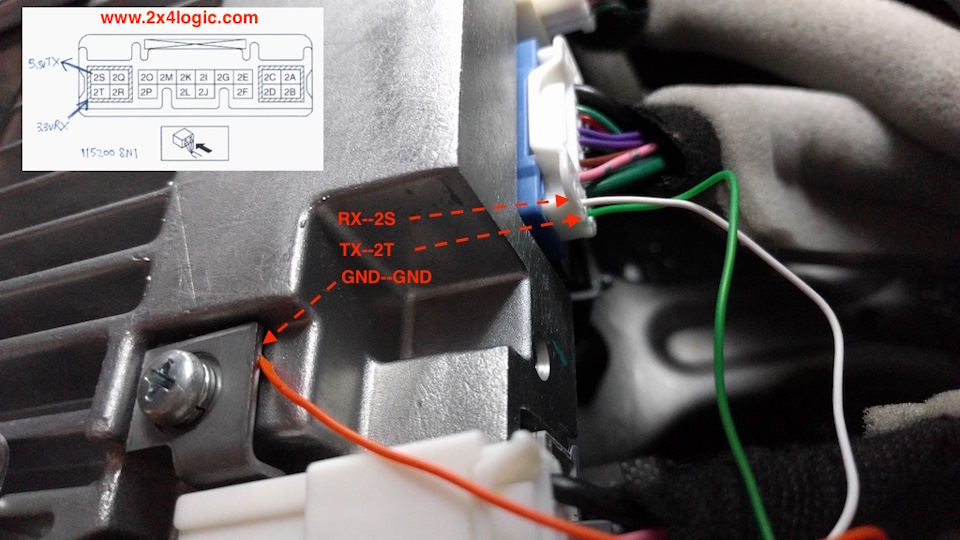
userand push Enterjci and push EnterNOTE: After installing the autorun scripts you will be able to login as the root user with username: cmu pass: jci
cp -r /mnt/sd*/XX/* /mnt/data_persist/dev/bin/; chmod +x /mnt/data_persist/dev/bin/autorun; /mnt/data_persist/dev/bin/autorunls -l /mnt/data_persist/dev/bin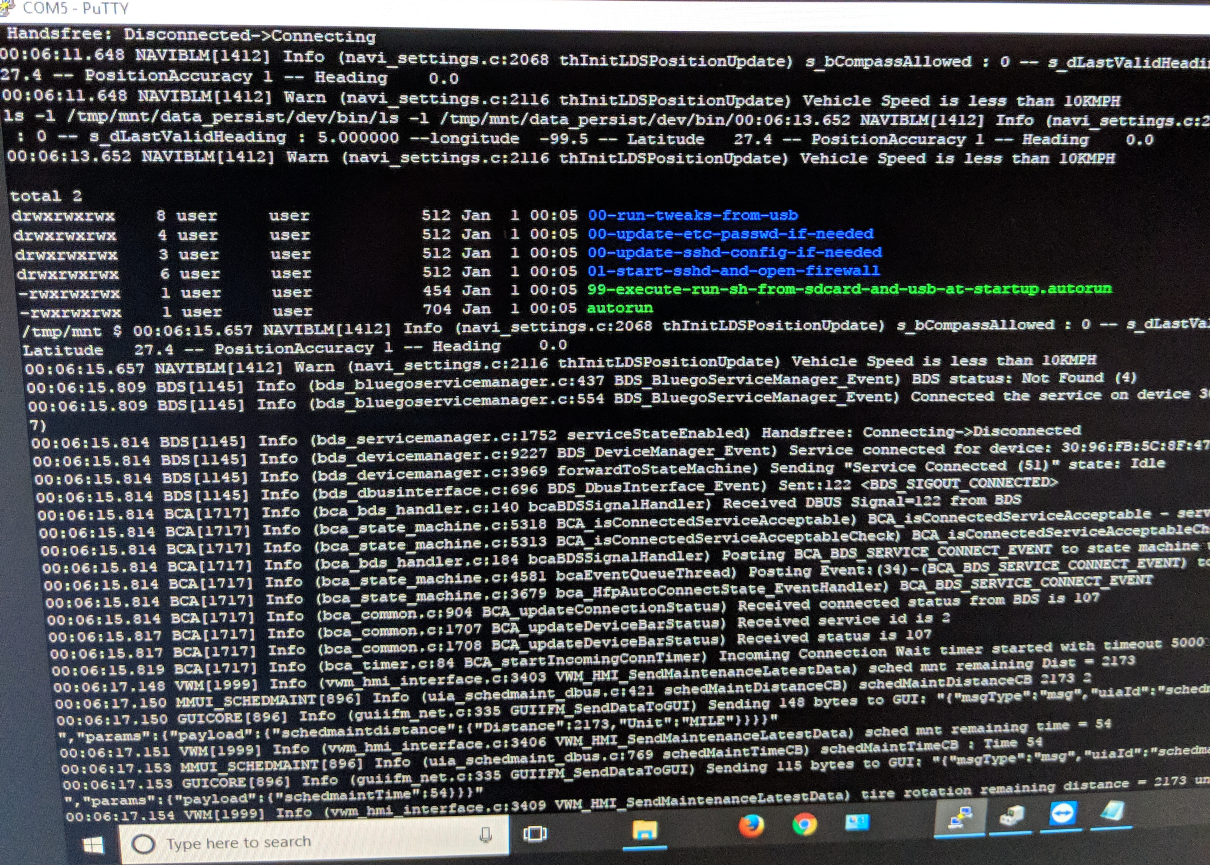
NOT TO BE FOLLOWED IF FITTING APPLE CARPLAY / ANDROID AUTO
NOTE: These instructions are *ONLY* designed to be used on UK-specification Fiat & Abarth 124 Spiders which are running firmware version 56.00.530. This update procedure is *NOT* suitable for Apple CarPlay / Android Auto installation.
Follow these instructions to perform the CMU upgrade process. It is imperative these instructions are followed precisely:


 * Nothing should be inserted in the other USB port and SD slot during the re-flashing process. *


 * Please DO NOT switch ignition OFF or allow system to switch off ignition automatically until all updates have been installed.


